1.5 Quick intro to VSCode
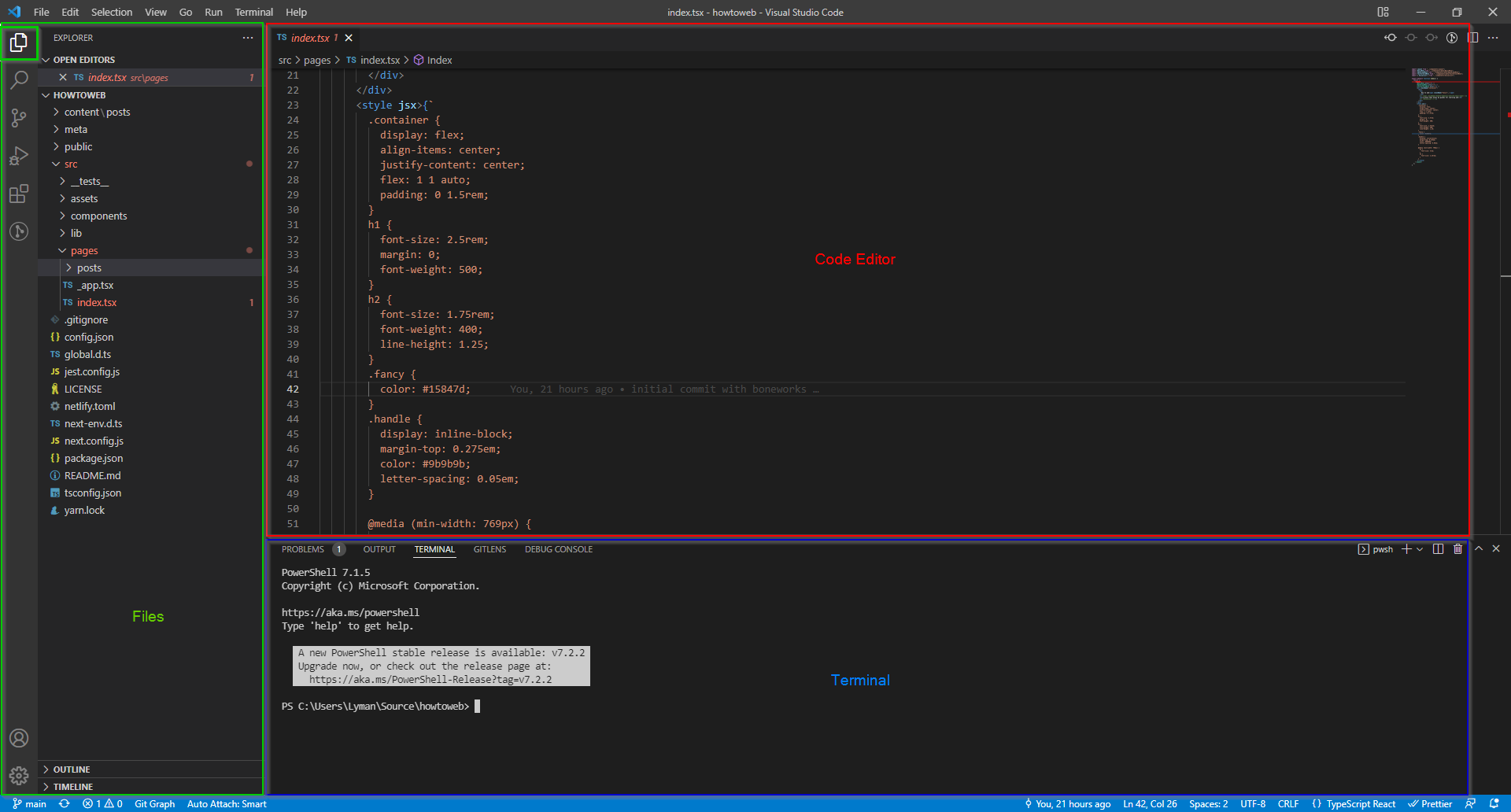
- Code editor - This is where you will write and edit your code. Has tabs like a browser to help manage many open files.
- Terminal - Think of PowerShell, Command Prompt, or Git Bash. Basically just a command window where you can install packages, run tasks, start a server, etc.
- Files - This is a tree view of the folder you're coding out of on your computer. Much like File Explorer or Finder (Mac), but more convenient to use. This left-hand section can also be occupied by a few different menus, shown below:
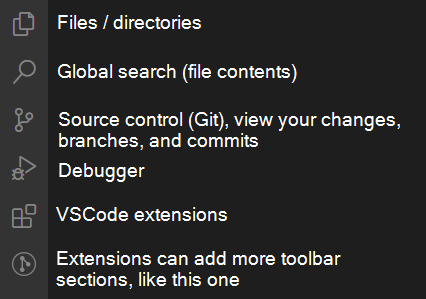
Hotkeys:
- Ctrl S = Save file
- Ctrl K, S = Save all files
- Ctrl P = Jump to file by name
- Alt Ctrl F = Format code (select Prettier from dropdown)
- Ctrl F = Search in this file
- Ctrl Shift F = Search in all files (global search)
- Ctrl ` (above Tab key) = Open or Close Terminal
- Ctrl Tab = Switch to last file
- Ctrl Shift Tab (and remain holding Ctrl Shift) = See list of most recently opened files, then Tab through to one needed
If I think of more, I'll add them here.